

In Meta Earth, identity is not just a login credential. It is the system’s commitment to every real individual. It moves you from an anonymous address to a recognized participant, unlocking UBI, the infinitely scalable ME Network, and a digital future that is truly yours. Through ME ID and ME Pass, Meta Earth turns personal sovereignty and equal participation into a mechanism that is usable, verifiable, and built for long term engagement.
If you are new to the ecosystem, creating your first ME Pass wallet is the essential starting point. It is more than a wallet. It is the entry to completing an ME ID, unlocking chain benefits, joining the node community, and receiving MEC.
This guide is written in a “follow along and you’ll finish” style, walking you through the full journey: Sign up → Install → Log in → Create a wallet → ME ID → Advanced verification, while weaving the exact on-screen prompts and buttons directly into each step.
Before You Start: Checklist
- •A regularly used email address (able to receive verification codes; sign-up also supports phone number)
- •A phone with a working camera (iOS or Android)
- •A stable internet connection (especially important for face scan and ID upload)
- •If you want to unlock more on-chain benefits: prepare a valid government-issued ID (follow the in-app requirements)
Create Your First Meta Earth Web3 Wallet
After your first login, you’ll be taken to the wallet setup screen. You’ll see two options:
- •“I don’t have a Meta Earth Wallet” (Create a new Meta Earth wallet)
- •“I already have a Meta Earth Wallet” (Import using a mnemonic phrase or private key)
If this is your first time, choose “I don’t have a Meta Earth Wallet” to create a new wallet. Next, you’ll be asked to set a ME Pass Token Code, which serves as a separate passcode for the wallet on your device.
How to Back Up Mnemonic Phrase
After you set your wallet password, ME Pass will generate your wallet’s mnemonic phrase. Before you continue, make sure you can do all three of the following:
- •Write down the full mnemonic phrase and store it somewhere safe
- •Never take a screenshot or send it through any online channel
- •Never share it with anyone
What is a mnemonic phrase? It is the master key that can regenerate your private key. Your private key is the credential that actually controls your assets.
That’s why both disclosure and loss are irreversible. If it is exposed or misplaced, no one, including official support, can recover it for you.
Anyone who proactively asks for your mnemonic phrase or private key, whether they claim to be customer service, an admin, or support, is not official. Stop the conversation immediately and stay alert.
Wallet Created. Start Using ME Pass
When you see “Wallet created successfully”, your ME Pass wallet is ready.
Wallet Addresses and ME ID Binding
In ME Pass, you can create and manage multiple wallet addresses. Each address is an independent on-chain account with its own assets and transaction history. Within the identity system, however, your ME ID is bound to one address only. This bound address serves as your primary identity address in the Meta Earth ecosystem. Whether you complete face verification first or advanced verification later, your identity-related benefits are tied to this bound address.
When would you need more than one address?
For most users, one address is enough. Consider creating additional addresses only if you truly need separation, such as:
- •Asset separation: keep long-term holdings separate from day-to-day activity
- •Purpose separation: use one address for identity and ecosystem benefits, and another for testing or other use cases
- •Risk management: store lower-exposure assets in an address you use less often
The key reminder
Decide which address you want to bind to ME ID before proceeding, since your identity and benefits are anchored to that address. If you are new to ME Pass, using the first address you created is usually the smoothest option and the least likely to cause confusion later.
Quick Login (Optional): How to Set up “Face ID” or “Gesture Login”
After entering ME Pass for the first time, the app may prompt you to enable quick unlock options. You can choose:
- •Face ID Login
- •Gesture Login
You can also skip and enable it later in settings.
Why it’s recommended
In daily use, you will open the app often to check assets and identity status, complete verification steps, or manage community actions. If you have to enter your password every time, it slows things down and can increase the risk of password exposure during frequent use or in public places. With quick login enabled, you can authenticate faster and use ME Pass more smoothly.
ME ID Verification: Tap “Verify ME ID” to Activate Identity Benefits
After returning to the ME Pass home screen, you will see “Verify ME ID.” Tap it to start ME ID Live Verification. This step only requires facial recognition following the on screen guidance. You will not be asked to enter your name, country, or region during this process. In most cases, verification is completed automatically. In a small number of cases, it may be routed for manual review. Once the face scan is finished, the system will enter “On chain Verification.” Please wait for the result.
When the page shows “Congratulations! You have obtained your exclusive ME ID,” your ME ID has been successfully created, and you are now an identity participant in the Meta Earth ecosystem.
After your ME ID is created, you will automatically receive 1 permanently staked MEC. This MEC generates daily earnings continuously, with no additional action required. The system will credit the earnings to your account automatically.
ME ID Advanced Verification
To unlock more on chain benefits, you can proceed with ME ID Advanced Verification. After you submit, the system will enter the On chain Verification stage and display “Waiting for approval.” Please follow the on screen guidance and wait for completion.
This step can take time because the system is completing two key processes:
- •KYC review: A trusted third party service provider checks whether your ID document details match your facial scan, and confirms the images are clear and the information meets the required standards. This helps ensure consistent and accurate results.
- •Privacy protected on chain record: Once approved, the system uses privacy technologies such as zero knowledge proofs to convert your sensitive information into a verifiable credential, then records the verification result on chain. Your original document data is not published on chain. On chain confirmation requires blockchain processing time, so you may see a waiting status.
Tip: If the page stays on “Waiting for approval” for a long time, common causes include blurry photos, glare, obstruction, or information that does not match the document. Follow the page prompts, correct the issue, and resubmit.
Join the Node Community and Unlock Your First Reward
The first time joining the node community typically comes with a joining reward. After you join, check the Assets page to see if your balance has updated, or confirm the payout on the related notification screen.
Back to Home: View Your MEC Balance and Daily Rewards
Back on the ME Pass home screen, you can check your MEC balance and daily earnings on the Assets page. The 1 permanently staked MEC you received will continue generating daily earnings automatically.
Once verification is complete, you will also receive a minted ME ID Card. Think of it as a shareable identity credential within the Meta Earth ecosystem, showing your identity status and affiliation. Over time, it will support more real use cases such as ecosystem events, app integrations, and benefit recognition.
Invite Friends: Share via Link / QR / Poster
To earn more MEC rewards, go to the invite page and invite friends to join Meta Earth. Each successful invitation grants additional MEC incentives.
Supported methods:
- •Link sharing
- •Face-to-face QR scan
- •Invitation poster
Closing: From This Moment, Your Identity Is Live
Creating your ME Pass wallet means you’ve officially entered Meta Earth’s identity-and-asset system. You’re no longer just an address on-chain — you’re a recognized participant who can earn, participate, and accumulate long-term benefits.
And once you reach ME ID — especially advanced verification — you’re not merely “unlocking features.” You’re stepping into an identity order that actually takes effect: every action you take in Meta Earth is supported by a verifiable foundation of identity and rights that can keep compounding over time.
ME, My Way!
About Meta Earth
Meta Earth (ME) is based on a modular, high-performance, infinitely scalable multi-dimensional fusion underlying value network — ME Network, which supports the high-concurrency big data processing needs of traditional industrial applications.
And through an encrypted DID (Decentralized Identifier) system — ME ID & ME Pass which can effectively protect user privacy data, and a co-construction & co-governance mechanism which can fully reflect personal sovereignty and equality for all, as well as an economic model which can guarantee UBI (Unconditional Basic Income) without any distinction, Meta Earth is fully dedicated to enhancing happiness for a better life and maintaining ecological balance to promote sustainability.
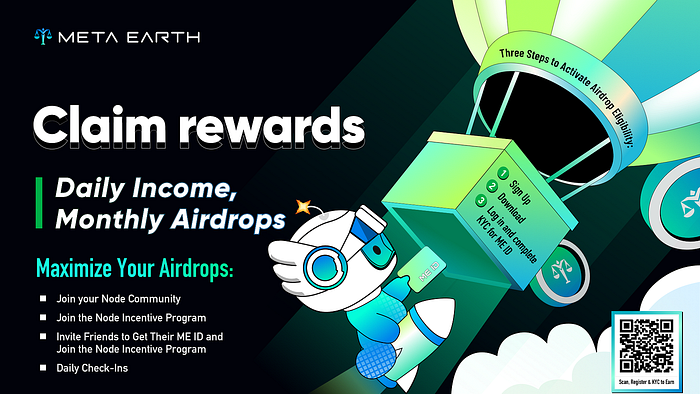
If you want to receive more airdrops or rewards, please download the ME Pass and complete advanced verification. See more on the poster! 👇👇👇